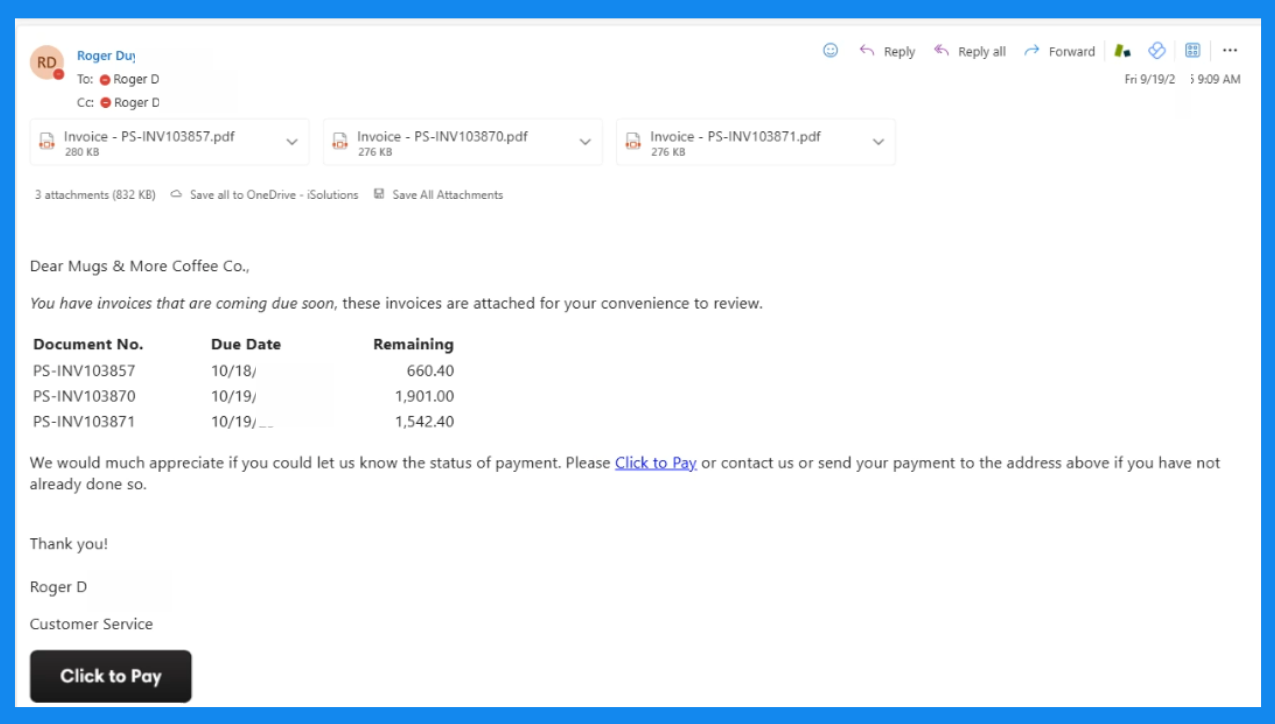
One-Click Payments integrated with Business Central
Click to Pay
Enable faster payments and happier customers with a secure click to pay link. Built specifically for Dynamics 365 Business Central, click to pay links lead to faster, more convenient payments.
Trusted by Over 600 Clients











Secure, instant online payments with a simple payment link.
Slow or complicated payment processes lead to outstanding invoices, trickling cash flow, and high days sales outstanding – which in turn means more hours and manual effort to get paid. With Click to Pay from iSolutions, you can not only speed up your payment process, but win over your customers.
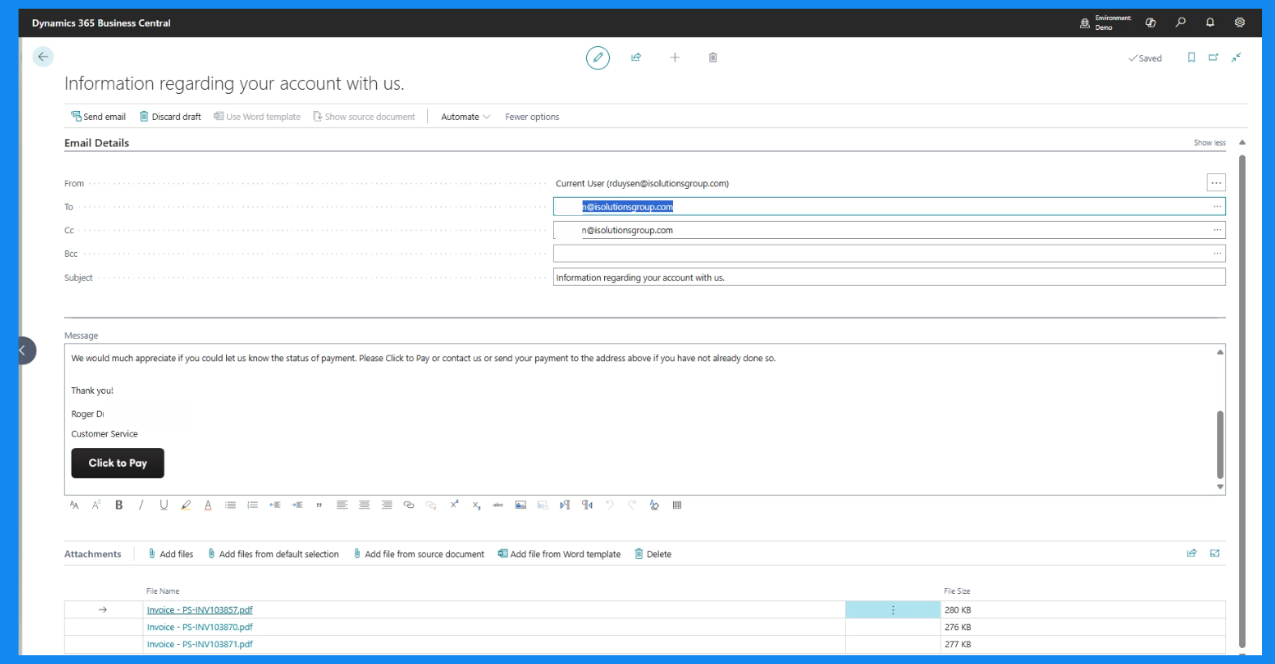
Simply send out a payment link that will bring your customers directly to their invoice and easily make a payment via ACH or Credit Card. With credit card surcharging included, you have the option to pass along fees to your customers. Click to Pay is included in the core iPayments solution for Dynamics 365 Business Central, or as a stand alone option.
Why Click to Pay?
Lower your days sales outstanding
Accelerate your cash flow by reducing the time it takes to collect payments.
Easily send payment links online
Send payment links with your invoice reminders, or copy the link to send anywhere online.
Pay by credit card or ACH
Let customers choose how to pay – credit card or ACH – and you choose whether or not they pay the convenience fee.
Customize your look
Include your logo, colors and brand elements into your payment landing page.
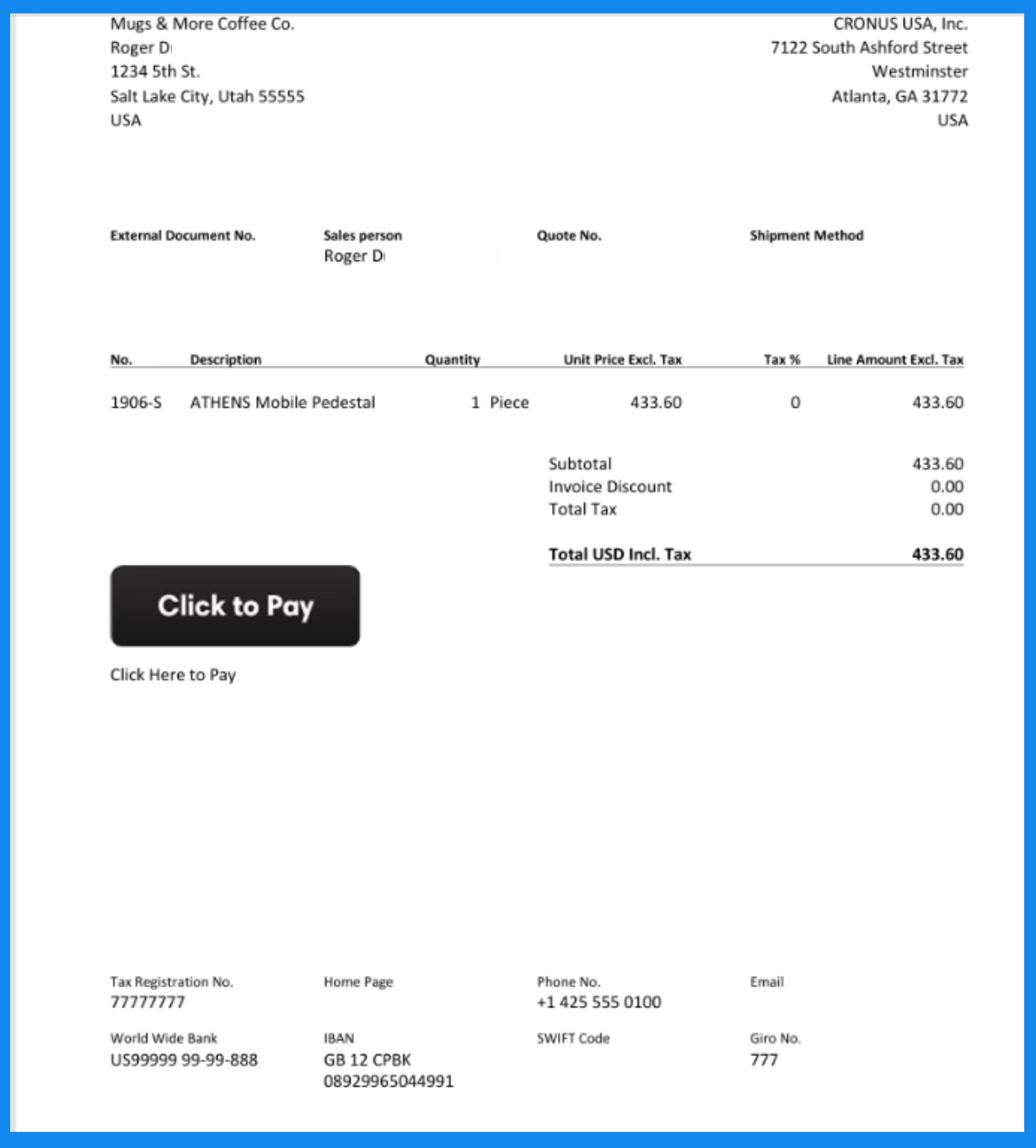
Deliver convenient payment links on invoices
Make it easy for customers to pay instantly with a modern payment experience.
Secure forms and payments
Advanced encryption and PCI-compliant infrastructure keep every transaction safe.
Click to Pay, Your Way: Features and Functions
Click to Pay is included in iPayments Basic and Advanced for Dynamics 365 Business Central. It is also available as a stand-alone solution to collect payments no matter which ERP solution you are using.
Secure Payment Link
Unique, encrypted links tied to specific invoices or customer accounts. PCI compliant and tokenized for safe transactions.
Send via Email with Invoices
Embed your payment link directly in emailed invoice.
Accept Multiple Payment Options
Accept credit cards, ACH, and eChecks with the option to pass processing fees to your customers.
Recurring and Partial Payments
Customers can make partial payments if allowed.
Custom Branding and Messaging
Add your logo, colors, and custom messages to match your brand.
Payment Reminders and Automation
Schedule automated reminders for unpaid invoices and trigger follow-ups based on due dates.
Real-time Payment Posting
Payments immediately apply to invoices within your ERP.
Pricing
Easy Setup. Instant Impact.
Getting started is simple. Our onboarding specialists will guide you through every step—from configuration to launch—so you can start accepting payments with confidence.
Click to Pay links for Business Central are included in iPayments Basic and Advanced.
One-Time Setup Fee
Get started with a simple, upfront implementation cost that includes hands-on training.
Affordable Monthly Rate
Enjoy a consistent, budget-friendly subscription with a three-year price lock. Includes no-cost product support from our North American based team.
Up Front Processing Costs
Qualify for the lowest credit card processing rates available. No surprises or shocking rate increases.
What Our Users Say
"We’ve reduced the 24 hours per week that the accounting team used to spend on payment processing down to 5 hours. And with invoices going out at the time of the order rather than when shipments occur, that speeds up our cash flow by 2-3 days."
Devin Adams
Chief Information Systems Analyst, Mama Lola's
"The process is much easier for our customers. They spend less time submitting their credit card information and can more easily sort through open invoices."
Brett Fancon
IT Supervisor, MWS Wire Industries
"It’s much easier for them to pay through the link we email and our smaller dealers and government entities that use virtual credit cards for one-time purchase particularly appreciate the added security of the new process."
Kathi Grau
Credit and Collections Manager, SABRE
"We couldn’t justify adding a convenience fee before but now we can because the system actually is convenient. It’s easy and it works right. iSolutions easily paid for itself multiple times in one month. We have also had customers switching to ACH to avoid the convenience fee and that makes payments easier for us as well."
Casey Schindler
COO, Baden Sports
Frequently Asked Questions
Is Click to Pay secure?
A unique, secure payment link is generated and sent to your customers online. The customer clicks the link, selects payment method, and completes the transaction. All credit card information is tokenized, secure, and PCI DSS compliant.
What payment methods are supported?
All major credit cards and debit cards. Debit cards do not require a PIN. We also accept ACH transfers or echecks. PIN debit can be processed for card present transactions via our POS device.
Can I pass credit card fees on to the customer?
With iPayments you have the option to pass convenience fees onto the final invoice as a separate line item. You can also provide your customers the option to bypass the convenience fee by paying via ACH instead of credit card.
Who processes and stores credit cards?
Credit card information is encrypted and processed through Fiserv. All Click-to-Pay forms are tokenized so card data remains safe and secure.