
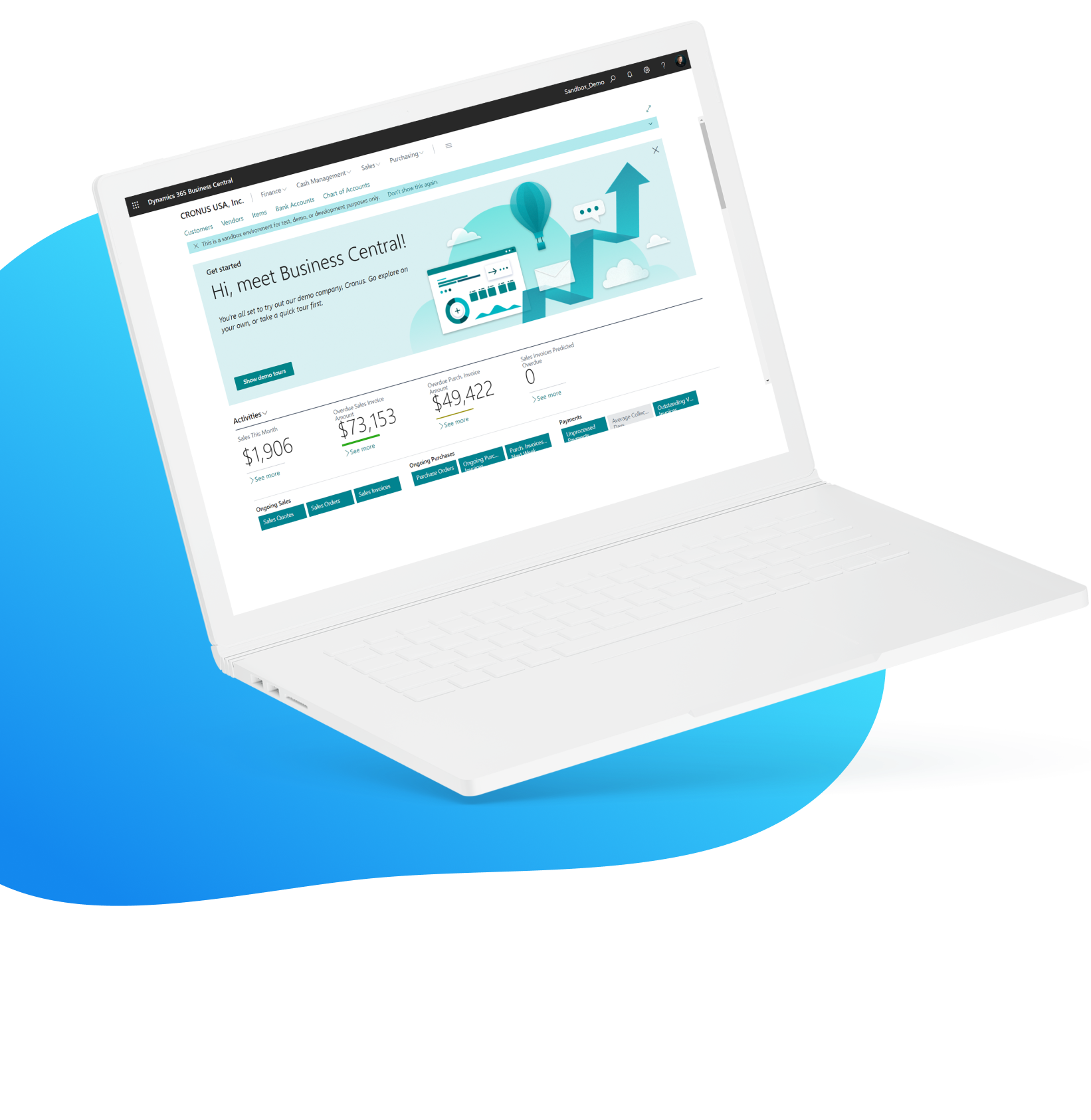
Get the Most out of Dynamics 365 Business Central
Embedded Payments and AR Automation
You deserve faster payments, fewer manual tasks, and happier customers—iSolutions makes it happen. Designed specifically for Microsoft Dynamics 365 Business Central, you can improve cash flow, automate invoicing, streamline collections, and enhance the customer experience.
Trusted by Over 600 Clients









iPayments for Business Central – Your Complete AR Toolbox
Today’s finance teams are under more pressure than ever – to do more with less, all while juggling manual processes and time consuming tasks. iPayments was built with your finance team in mind. With a direct integration to Dynamics 365 Business Central, you’re able to manage credit card and ACH processing, understand and act on past due collections, manage your e-commerce site, provide your customers a self-service portal, and much more.
You never have to navigate out of Business Central – all of your payment processes take place directly in the system, with no other logins or windows to juggle. And your reporting is done for you. With real-time updates to your G/L, you’ll understand through out of the box dashboards your cash flow, amounts due, and invoices being sent out.
Unlock the Business Benefits of iPayments
in Dynamics 365 Business Central
Lower your Days Sales Outstanding
Accelerate your cash flow by reducing the time it takes to collect payments.
Reduce or eliminate card fees
Pass fees to customers transparently or offer alternative payment methods that reduce your overhead.
Improve staff efficiency
Reduce administrative workload, allowing your staff to focus on higher-value tasks and improving overall productivity.
Reconcile payments in real time
Eliminate delays and errors in your accounting. Keep your financial records accurate and up to date – automatically.
Increase customer satisfaction
Enhance your customer experience with seamless, secure, and flexible payment options.
Include payment links on invoices
Streamline collections by making it easy for customers to pay instantly.
Comply with PCI DSS
Protect sensitive data and maintain customer trust.
Easy to implement and work with
User-friendly platform that integrates seamlessly with Dynamics 365 Business Central.
Real time reporting and insights
Make smarter business decisions with instant access to payment data.
iPayments Packages
iPayments Basic
Credit Card and ACH Processing
Authorize, capture, and reverse transactions directly within Business Central Sales Orders, Invoices, and Service Documents.
Credit Card Reconciliation
Ensure that deposit transactions in a credit card statement match those on the company’s general ledger.
Customers receive a secure link where they can pay one or more invoices online.
Advanced Collections Management
A full suite of intelligent collections features that give you better visibility, automation, and control over your collections process.
Integrate payments into your shopping cart and manage cash receipts and voids/refunds inside of Business Central.
API Integration to Business Central
Connect with our APIs to integrate payments from any application into Business Central.
Qualify for the Lowest Credit Card Processing Rate
iPayments Advanced
Includes all functionality listed in iPayments Basic PLUS
Give Your Customers Access To:
Pay and View Invoices
View Quotes, Orders, and Shipments, including tracking information
View Account History
Make Partial Payments or Apply Open Credit Memos to Sales Documents
Submit Document Disputes with Direct Messaging on Individual Invoices Directly to Business Central
Personalized User Access with a Portal Branded to Your Organization
Point of Sale Add-On
$150/month per location
Integrate with Clover for seamless card-present Credit Card Processing and post directly to Dynamics 365 Business Central, no sync required.
Point of Sale Reconciliation
- Reconcile Cash Drawer and record Over/Short
- Enter Counts for Coin and Notes to Begin and End
Summary Activity of Sales by Drawer
- Cash Received
- Cash Paid Out
- Refunds
- Vault Transfers
- Net Cash
- Statistics: Cash/Check/Other/Credit Card
- Total Returns
Flexible User Setup of Payment Methods
Easy Setup. Instant Impact.
Getting started is simple. Our onboarding specialists will guide you through every step—from configuration to launch—so you can start accepting payments with confidence.
One-Time Setup Fee
Get started with a simple, upfront implementation cost that includes hands-on training.
3 Year Price Lock
Enjoy a consistent with no surprises. Monthly rates are locked in for a minimum of 3 years. Includes product support from our U.S. based team.
No Hidden Charges
What you see is what you pay—no unexpected fees or extra costs.
Frequently Asked Questions
Does Microsoft Dynamics 365 Business Central have AR automation and payment options out of the box?
Business Central includes very basic accounts receivable capabilities out of the box. However, it lacks full AR automation and advanced payment tools like real-time reconciliation or embedded payment links. Additionally, in Business Central there are limited automations, meaning most tasks require manual input, including matching payments to invoices.
Read more about what BC offers out of the box and what iPayments provides.
Is iPayments a separate application?
iPayments is completely embedded into Business Central so you never have to leave your core ERP application.
iPayments Basic includes ACH and Credit Card Processing, Advanced Collections Management, and eCommerce. iPayments Advanced includes everything in Basic PLUS a Customer Portal.
How do I reduce payment delays as a Business Central user?
iPayments from iSolutions can speed collections over 40% by allowing you to automate payment reminders, make it simpler to pay with a customer portal and click to pay links, improve invoice accuracy and timing, and strengthen customer communication.
How does iSolutions work?
iSolutions provides AR and payment solutions for Dynamics 365 Business Central. The third-party solutions integrate directly with BC to automate and streamline accounts receivable and payment processing.
You can schedule a demo directly with iSolutions or through your Business Central partner. Once you decide to move forward, we’ll schedule implementation of our app and train your team. Learn more about our onboarding process here.