
There are many options for a customer portal for Dynamics 365 Business Central, allowing your customers to access their account information and apply payments to open invoices on their account. However, there are stark differences between many of the customer portals on the market today and without diving into the differences, you may end up with a solution that doesn’t work the way you or your customers need or puts your data in jeopardy.
Many customers expect easy and instant access to account information but the reality is that not all portals work the same way. This blog will dive into the differences between the customer portals for Business Central available today and what to consider when you’re searching for a solution.
The Top Features of a Customer Portal for Dynamics 365 Business Central
A customer portal for Dynamics 365 Business Central should allow your customers simple and instant access to their account information. Portals can range from simple – a place to pay a single one-time invoice – to more robust, offering details on the entire history of the account including open invoices, sales orders, shipping information, and more.
The more robust portals give an overall better experience for customers and check off most of the boxes for core functionality that most businesses are looking for.
- Invoices and Payments
- View and pay open invoices
- Make partial payments on invoices
- View and apply credit memos
- Access account history
- Document dispute functionality to send messages on invoices
- Sales Orders and Quotes
- View open and historical sales orders
- View open and historical sales quotes
- Payment Information and Profile Data
- Update payment information and profile data
Without this core functionality, a customer portal is really just a link to pay online, which may work if you have one-time customers. But it offers little to no real benefits to your repeat customers. A full solution helps to reduce manual AR work, improve customer experience, and accelerate cash flow.
How Most Sync-Based Customer Portals for Business Central Work
The majority of customer portals for Business Central on the market are based on sync-based architecture. This means that your data is copied to another external system and is synced on a schedule, which may be hourly or nightly. Sync-based systems have serious implications for both you and your customers.
- Your data is being moved outside of your Business Central environment, introducing an unnecessary security risk.
Any time that data is removed from Business Central, you are assuming a level of risk when it comes to the security of that data. Within Business Central, your data is protected by Microsoft’s deep security standards and practices. Outside of the system it can be at a more significant risk for a data breach.
- Outdated invoice and account information
When data is delayed, customers can still have questions about the validity of open invoices or amounts due on their account. This can lead them to reach out to your team, negating the benefits and reason that you implemented a customer portal in the first place.
- Duplicate systems to manage
With duplicate systems to manage, your IT team is putting more time and effort into both maintaining their knowledge of each solution along with making sure they are running as expected.
All of this leads to reconciliation issues, questions about the accuracy of account balances, and unnecessary security risks.
The Benefits of a Real-Time Customer Portal for Business Central
With a real-time customer portal for Business Central, there is no data duplication or sync delays. As soon as an update is made in Business Central, or a new invoice is posted, the information is reflected in the customer portal in real-time. This is a live connection to BC data so there are no questions on how updated the information is or if it is accurate. All data solely lives in Business Central, so there is no security risk, and your IT and finance team only have one system to learn and manage.
Real-Time v Sync Customer Portals – the Key Differences
| Real Time | Sync | |
| Data Accuracy | Always Current | Delayed and outdated |
| Payment Processing | Updates instantly in Business Central | Payment only reflects after the sync takes place |
| User Experience | Seamless, self-service | Can be confusing and inconsistent |
| Operational Efficiency | Eliminates any manual work | Requires reconciliation and some manual fixes |
The iPayments Customer Portal for Dynamics 365 Business Central
The iPayments customer portal for Business Central delivers one of the most feature-rich, robust portals available on the market today. Built natively for Dynamics 365 Business Central, there is no sync or middleware, meaning your data is secure and protected.
Benefits of the customer portal for Business Central from iPayments
- Real-time invoice and payment visibility
- Visibility to sales quotes and orders
- Automated reminders for payments
- Document dispute
- Magic links for passwordless login
- Full self service experience
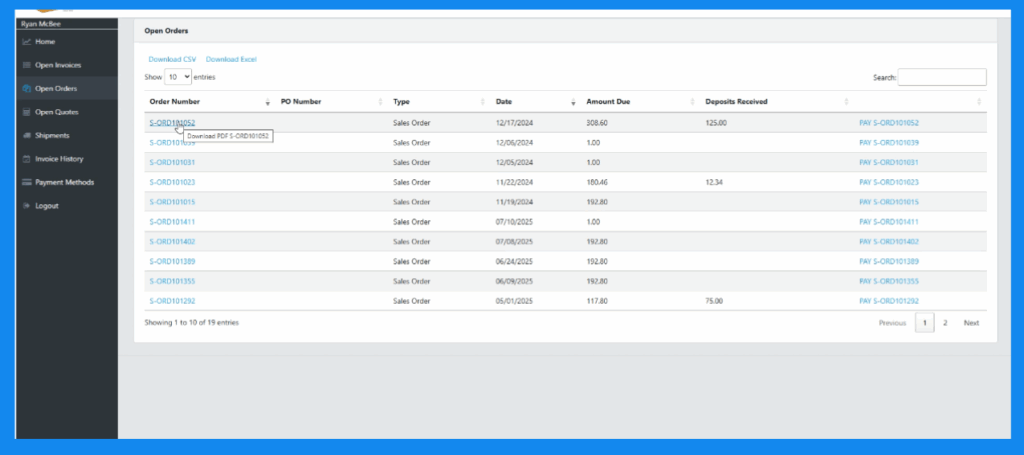
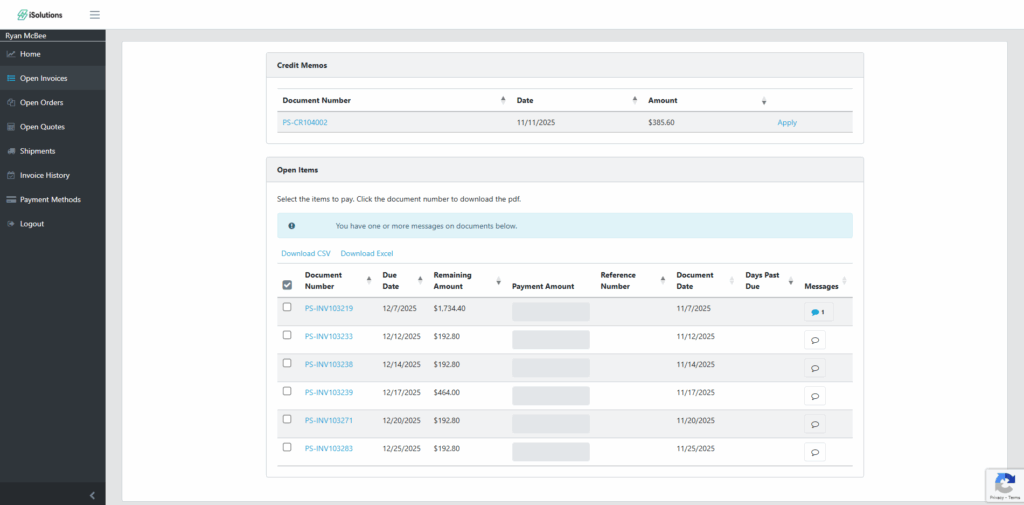
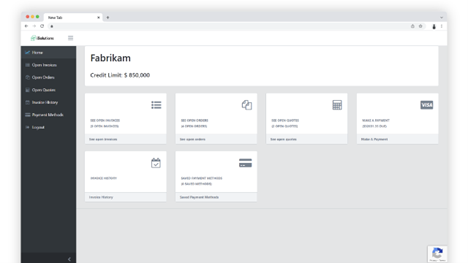
The iPayments Customer Portal includes a full AR suite to help you manage the entire end-to-end AR function including click to pay links, advanced collections management, e-commerce, and more.
Red Flags to Avoid When Selecting a Payment Portal for Business Central
One of the main reasons a company implements a customer portal is to make it easier for their customers to pay their invoices and view account information. If logging in, or finding invoice information is difficult, your portal isn’t accomplishing what you intended.
Pitfalls to avoid when selecting a portal:
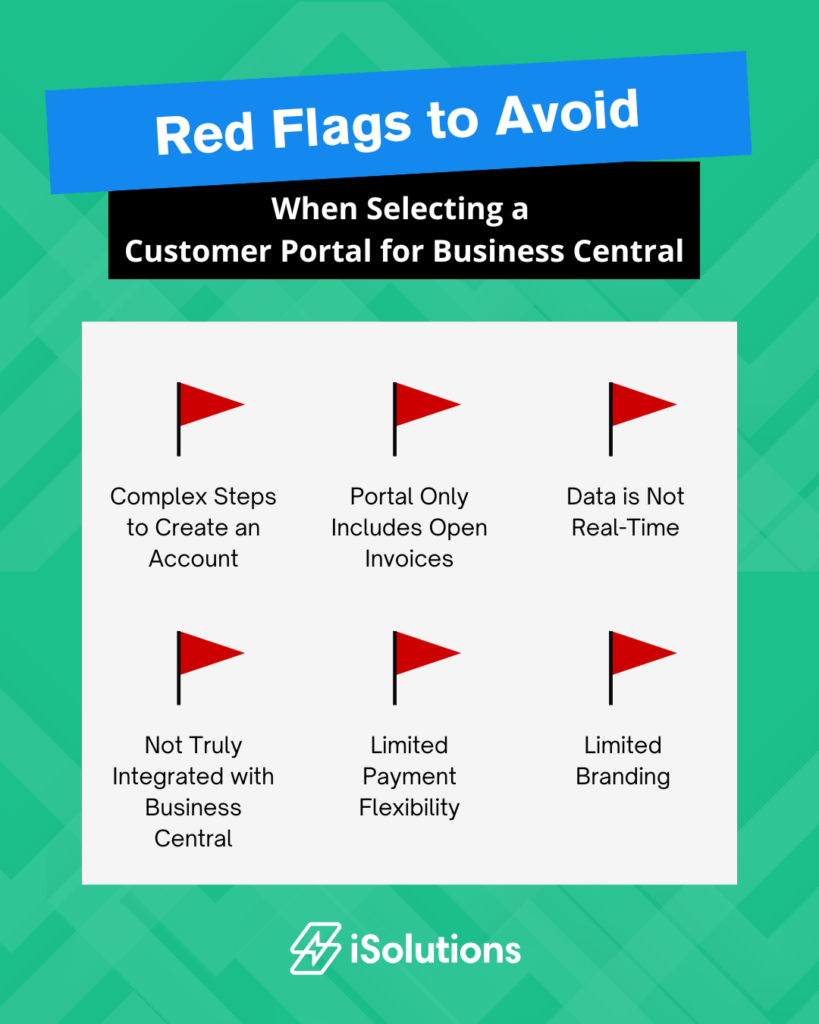
- Multiple steps to create an account
If your user needs to create an account, enter the invoice number manually, complete a captcha, create security questions, verify an email, agree to terms – that is a process that is heavy with friction.
- Customer portal only includes open invoices
If the customer portal you are considering only allows customers to view and pay open invoices, it can still leave them with questions about their account. This means another step for them to reach out to your team and more manual processes for answering questions and sending additional account information.
- Data is not real-time
If your portal requires scheduled syncs or data replication, customers could be looking at outdated information and your information is being shared outside of your system.
- Portal is not truly integrated with Business Central
Without a native portal, you’re adding complexity and potential security issues behind the scenes.
- Limited payment flexibility
If customers can’t pay the way they want, they won’t pay as quickly and will end up calling your AR team to complete the transaction. Options such as ACH, partial payments, and the ability to apply credit memos are key to a robust portal.
- Lack of personalization
If your portal doesn’t feel like your business, it doesn’t give your customers confidence or trust that they are in the right place. With everyone on the watch for phishing or hacking schemes, customers are more savvy than ever. You should be able to personalize your portal to your brand so your customers feel secure in their payments.
When compared to other customer portal options for Dynamics 365 Business Central, the iPayments portal checks all of the boxes. Watch the video below to see a high level overview of the portal or reach out to our team to get a personalized demo.